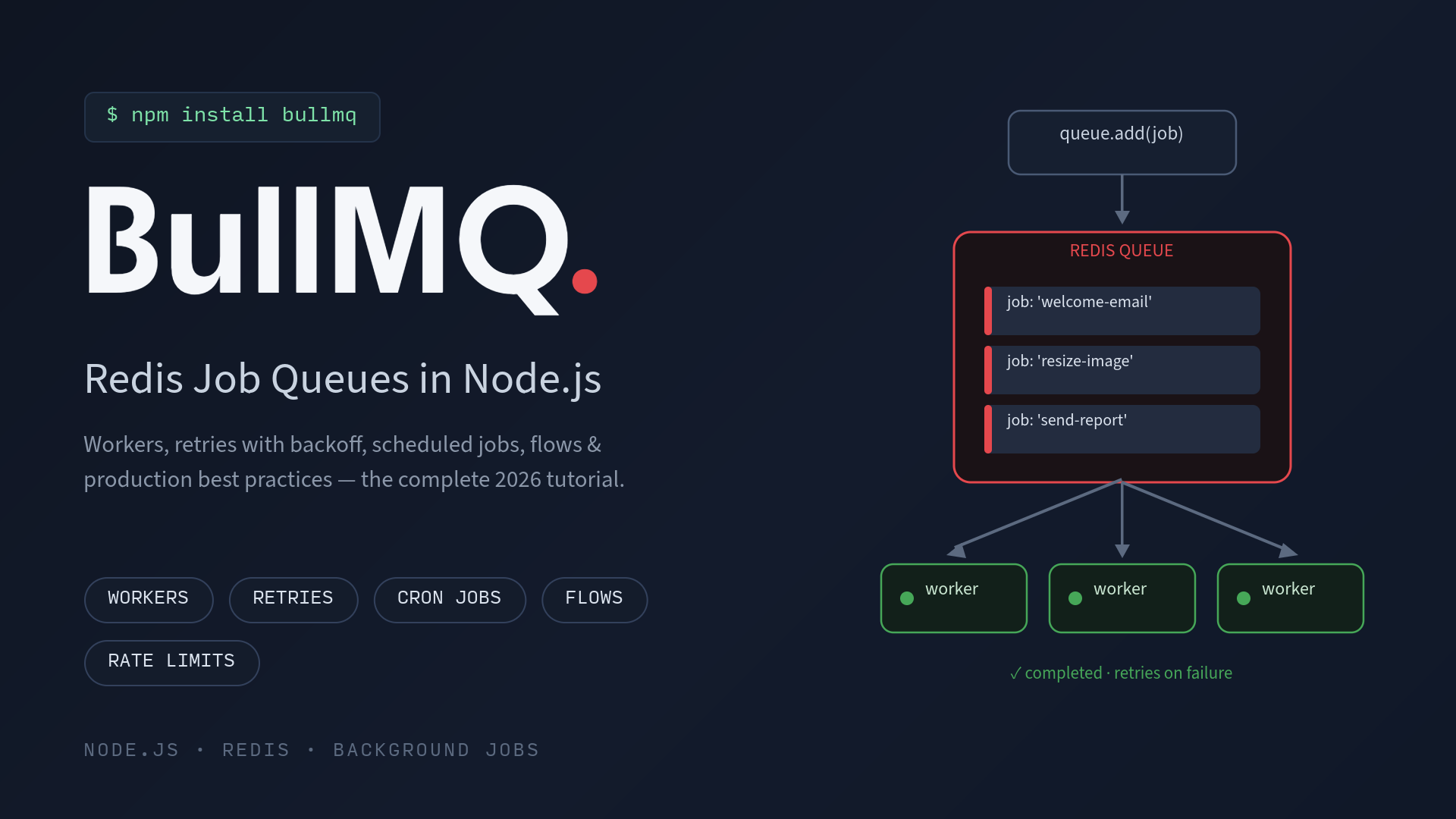
BullMQ Tutorial 2026: Redis Job Queues in Node.js (Workers, Retries, Flows & Best Practices)
Every Node.js app eventually hits the same wall: some work is too slow, too heavy, or too unreliable to run inside an HTTP request. Sending emails, resizing images, generating PDFs, syncing third-party APIs, crunching reports, do any of these inline and your response times balloon, your server falls over under load, and a single flaky API call takes your user's request down with it.
The fix is a job queue: push the work into Redis, respond to the user instantly, and let background workers process jobs reliably with retries, scheduling, and concurrency control. In the Node.js ecosystem, BullMQ is the de facto standard for exactly this. In this tutorial, we'll build a production-grade background job system with BullMQ and Redis from scratch.
What Is BullMQ?
BullMQ is a fast, Redis-based distributed job queue for Node.js (with official ports for Python, Rust, Elixir, and PHP). It's the modern, TypeScript-first successor to the popular Bull library, rewritten by the same team with rock-solid atomicity guaranteed by Lua scripts running inside Redis. As of 2026 it's on v5.x, downloaded millions of times a month, and used by companies like Microsoft, Vendure, and Curri.
Out of the box you get:
- Delayed and prioritized jobs: run something in 30 seconds, or jump the queue.
- Automatic retries with exponential backoff.
- Repeatable jobs / Job Schedulers: basically cron for your queue.
- Concurrency and rate limiting: process 50 jobs at once, but never more than 100 a minute.
- Flows: parent jobs that wait for child jobs, useful for fan-out/fan-in pipelines.
- Deduplication that collapses duplicate jobs automatically.
- Events, metrics, and telemetry for observability.
BullMQ vs Bull vs Other Node.js Job Queues
| Library | Backend | Status in 2026 | Best for |
|---|---|---|---|
| BullMQ | Redis | Actively developed (v5.x) | The default choice for almost everything |
| Bull | Redis | Maintenance mode | Legacy projects only, migrate to BullMQ when you can |
| Agenda | MongoDB | Low activity | Mongo-only stacks with light scheduling needs |
| Bee-Queue | Redis | Minimal features | Very simple, short-lived real-time jobs |
| pg-boss | PostgreSQL | Active | Teams that want zero Redis and already run Postgres |
If you're starting a new project in 2026 and you have Redis available, BullMQ is the safe answer. It also works fine with Redis-compatible engines like Dragonfly and Valkey.
Step 1: Install BullMQ and Set Up Redis
You need a Redis instance (6.2 or newer recommended). Locally, Docker is the fastest route:
docker run -d --name redis -p 6379:6379 redis:7-alpineThen install BullMQ in your Node.js project:
npm install bullmqBullMQ works with Node.js and Bun, ships TypeScript types out of the box, and uses ioredis under the hood for the Redis connection.
Step 2: Create a Queue and Add Jobs
A Queue is the producer side. It's how your API or app pushes work into Redis:
// queue.js
import { Queue } from 'bullmq';

const connection = { host: 'localhost', port: 6379 };

export const emailQueue = new Queue('emails', { connection });

// Somewhere in your API route:
await emailQueue.add('welcome-email', {
  to: 'user@example.com',
  name: 'Priya',
});
Each job has a name ('welcome-email') and a data payload (any JSON-serializable object). Your HTTP handler returns immediately, and the actual sending happens elsewhere.
Job options let you control behavior per job:
await emailQueue.add('welcome-email', data, {
  attempts: 5,                              // retry up to 5 times
  backoff: { type: 'exponential', delay: 3000 }, // 3s, 6s, 12s, 24s...
  delay: 60_000,                            // start 1 minute from now
  priority: 1,                              // lower number = higher priority
  removeOnComplete: 1000,                   // keep only last 1000 completed
  removeOnFail: 5000,                       // keep only last 5000 failed
});
Step 3: Process Jobs with a Worker
A Worker is the consumer side, usually run as a separate Node.js process so heavy jobs never block your web server:
// worker.js
import { Worker } from 'bullmq';
import { sendEmail } from './mailer.js';

const worker = new Worker(
  'emails',
  async (job) => {
    if (job.name === 'welcome-email') {
      await sendEmail(job.data.to, job.data.name);
    }
    return { delivered: true }; // return value is stored on the job
  },
  {
    connection: {
      host: 'localhost',
      port: 6379,
      maxRetriesPerRequest: null, // required for workers
    },
    concurrency: 25, // process up to 25 jobs in parallel
  }
);

worker.on('completed', (job) => console.log(`${job.id} done`));
worker.on('failed', (job, err) => console.error(`${job.id} failed: ${err.message}`));
Two details trip people up constantly:
maxRetriesPerRequest: nullis required on worker connections so blocking Redis commands behave correctly during reconnections.- Throw to fail. If your processor throws, the job is marked failed and retried according to its
attempts/backoffsettings. Swallowing errors silently means BullMQ thinks everything succeeded.
You can also report progress from inside long jobs with await job.updateProgress(45) and listen for it via events.
Step 4: Retries, Backoff, and Handling Failures
Real-world jobs fail: APIs time out, SMTP servers hiccup, databases deadlock. The retry pattern that works well in production looks like this:
await queue.add('sync-crm', payload, {
  attempts: 5,
  backoff: { type: 'exponential', delay: 5000 },
});
That gives you retries at roughly 5s, 10s, 20s, 40s, and 80s, which is enough to ride out most transient outages. Jobs that exhaust all attempts land in the failed set, where you can inspect the stack trace and payload, then retry them manually or in bulk once the root cause is fixed.
One rule matters more than any config setting: make your jobs idempotent. Because retries (and rare edge cases like stalled jobs being reprocessed) mean a job can run more than once, design processors so running twice is harmless. Check if the email was already sent, upsert instead of insert, use idempotency keys on payment APIs.
Step 5: Delayed, Repeatable, and Cron Jobs (Job Schedulers)
One-off delays are just a job option (delay: 30_000). For recurring work, modern BullMQ (v5.16+) uses Job Schedulers, which replace the older repeatable-jobs API:
// Every day at 2:30 AM
await queue.upsertJobScheduler(
  'nightly-report',
  { pattern: '30 2 * * *' },
  { name: 'generate-report', data: { type: 'daily' } }
);

// Every 5 minutes
await queue.upsertJobScheduler(
  'health-check',
  { every: 5 * 60 * 1000 },
  { name: 'ping-services' }
);
upsertJobScheduler is idempotent, so you can call it safely on every app boot and the schedule gets created or updated in place, with no duplicate cron entries. This alone can replace node-cron plus a pile of ad-hoc setTimeout logic, with the bonus that scheduled runs get the same retries, visibility, and persistence as every other job.
Step 6: Flows, Parent Jobs That Wait for Children
Some work is a pipeline: transcode three video renditions, then generate the manifest only after all of them finish. That's what FlowProducer is for:
import { FlowProducer } from 'bullmq';

const flow = new FlowProducer({ connection });

await flow.add({
  name: 'publish-video',
  queueName: 'videos',
  children: [
    { name: 'transcode', data: { res: '1080p' }, queueName: 'transcode' },
    { name: 'transcode', data: { res: '720p' },  queueName: 'transcode' },
    { name: 'transcode', data: { res: '480p' },  queueName: 'transcode' },
  ],
});
The parent job stays in a waiting-children state until every child completes, then runs with access to all child results via job.getChildrenValues(). Children can have children of their own, so you can express whole DAG-like pipelines without hand-rolled orchestration code.
Step 7: Rate Limiting and Deduplication
Calling a third-party API that allows 100 requests per minute? Limit the worker, not your code:
const worker = new Worker('api-sync', processor, {
  connection,
  limiter: { max: 100, duration: 60_000 },
});
And when the same event can be triggered many times (webhooks, user double-clicks, cache invalidations), deduplication collapses duplicates into one job:
await queue.add('rebuild-cache', { userId }, {
  deduplication: { id: `rebuild-${userId}`, ttl: 5000 },
});
Any duplicate added within that window gets ignored, a tiny option that eliminates an entire class of thundering-herd bugs.
Step 8: Monitoring Your Queues
For programmatic monitoring, QueueEvents gives you a global event stream (completed, failed, progress, stalled) that works across processes. For a visual dashboard, the two standard options are:
- Bull Board: a popular open-source UI you self-host alongside your app to inspect, retry, and clean jobs.
- Taskforce.sh: the official hosted dashboard from the BullMQ team, with metrics, alerting, and multi-queue overviews.
BullMQ also ships built-in telemetry support that integrates with OpenTelemetry, so job spans can show up in the same traces as your HTTP requests. That's invaluable when you're trying to debug why a pipeline is slow.
Production Best Practices Checklist
- Run workers as separate processes (or containers) from your web server, and scale them horizontally. BullMQ guarantees each job is delivered to only one worker.
- Always set
removeOnCompleteandremoveOnFail. Otherwise finished jobs accumulate in Redis forever and memory quietly climbs. - Shut down gracefully: call
await worker.close()on SIGTERM so in-flight jobs finish (or are safely re-queued) before the process exits. This matters a lot on Kubernetes and most PaaS platforms. - Keep payloads small. Store large blobs in S3 or your database and put only IDs and references in job data.
- Make jobs idempotent. Assume at-least-once execution.
- Use sandboxed processors for CPU-heavy jobs so a crashing or CPU-bound job can't stall the whole worker's event loop.
- Set
maxRetriesPerRequest: nullon worker connections, and reuse Redis connections where possible to avoid connection storms. - Alert on queue depth and failed counts. A growing waiting list is your earliest signal that workers are down or underprovisioned.
Conclusion: Should You Use BullMQ in 2026?
If you're building background jobs in Node.js on Redis, yes, BullMQ remains the clear default in 2026. It hits the sweet spot between a simple setTimeout hack and heavyweight infrastructure like Kafka or RabbitMQ. One npm install gets you durable queues, retries, cron scheduling, pipelines, rate limits, and dashboards, all backed by a battle-tested library that's still actively developed. Start with a single queue and worker, add retries and a dashboard, and grow into flows and schedulers as your app demands it. Your response times, and your on-call rotation, will thank you.